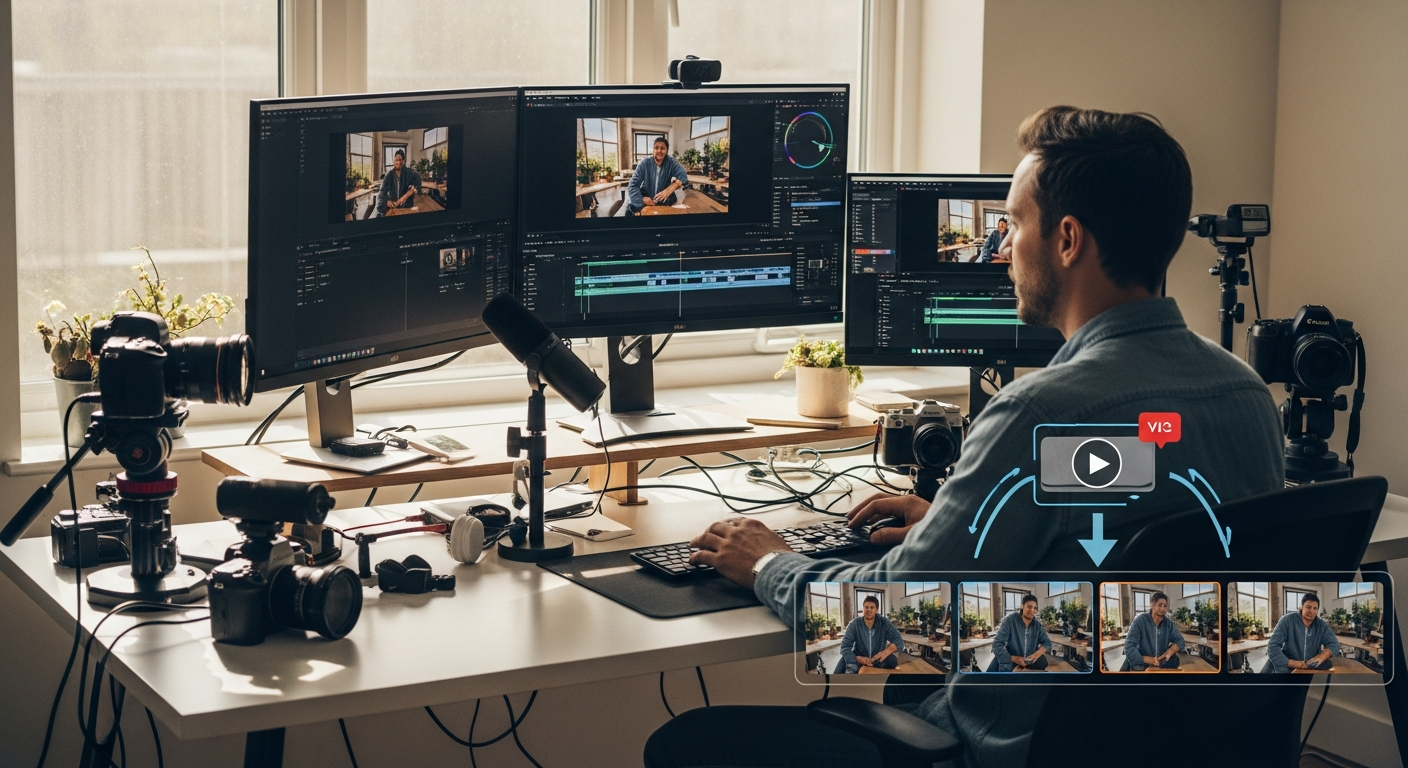
Content creators in 2026 face an impossible equation: audiences demand fresh content daily, but quality video editing takes hours. You're caught between the pressure to post consistently and the reality that traditional editing workflows simply can't keep up with the content creation demands of modern social media algorithms.
The solution isn't working longer hours or hiring expensive editors - it's leveraging AI-powered video editing tools that can transform your content creation process from a time-consuming bottleneck into a streamlined, automated system.
TL;DR - Our Top Pick
Winner: Choppity - Uses advanced AI to automatically detect viral moments and generate platform-optimized clips with engaging subtitles in minutes, not hours.
Our Testing Methodology

We uploaded the same 60-minute, 4K podcast interview to every tool on this list to stress-test their capabilities under real-world conditions. This wasn't a surface-level feature comparison - we measured actual performance, time savings, and output quality that content creators care about.
Metrics we tracked
- Processing time - How long each tool took to analyze and generate clips
- AI accuracy - How well each tool identified genuine viral moments and hook-worthy segments
- Caption quality - Accuracy of transcription and visual appeal of subtitle styling
- Export resolution - Quality and format options for different social platforms
Our testing revealed dramatic differences in both speed and quality. While some tools took over 45 minutes to process our test video, others completed the same task in under 10 minutes. More importantly, the AI accuracy varied wildly - some tools generated genuinely engaging clips that could drive viral growth, while others produced generic segments that would likely be scrolled past.
Why Choppity Is Our #1 Pick for Content Creator Clips
After extensive testing, Choppity consistently outperformed every other AI video editor in our lineup. What sets it apart isn't just speed or features - it's the platform's deep understanding of what actually makes content go viral on social media platforms.

The "Aha!" Moment
Traditional video editing means scrubbing through hours of footage, manually identifying the best moments, cutting clips, adding captions, and optimizing for different platforms. Choppity eliminates this entire tedious process with AI that genuinely understands viral content patterns, automatically surfacing the moments most likely to engage audiences and drive shares.
Workflow Snapshot
Three-step viral content creation:
- Upload your long-form content - Paste a YouTube link or upload your video file directly
- AI analyzes and segments - Advanced algorithms identify hook moments, emotional peaks, and viral-worthy segments
- Export optimized clips - Get platform-specific videos with animated captions and visual enhancements ready to post
Real Use Case
During our testing, we uploaded a 60-minute interview featuring multiple topic shifts and energy levels. Choppity identified 12 high-potential clips in just 8 minutes, complete with attention-grabbing captions and optimized for TikTok, Instagram Reels, and YouTube Shorts. The same process would have taken our team 3-4 hours manually, and we likely would have missed some of the subtle viral moments the AI detected.
Pros
- Lightning-fast processing - Analyzes hour-long content in under 10 minutes
- Advanced facial recognition - Automatically centers speakers in vertical formats
- Dynamic caption templates - Eye-catching subtitle animations that boost engagement
- Intelligent transcript editing - Edit video by modifying text, not timeline scrubbing
- Multi-language support - Accurate transcription in 12+ languages
- B-roll integration - Automatically suggests relevant stock footage for key moments
- One-click multi-format export - Generate 9:16, 1:1, and 16:9 versions simultaneously
- Smart profanity censoring - Automatically bleeps inappropriate content for brand safety
Cons
- Watermark on free tier - Requires paid plan for clean exports
- Optimized for talking-head content - Works best with interview, podcast, and presentation formats
Opus Clip
Opus Clip uses AI to analyze long-form videos and automatically generate short clips for social media platforms. The tool focuses on identifying compelling moments within longer content and reformatting them for vertical video platforms.

Pros
- Processes multiple video formats and lengths
- Includes basic caption generation and timing
- Offers clip scoring to rank potential viral moments
Cons
- Limited customization options for generated clips
- Caption styling options are basic compared to competitors
- Processing times can be slow with longer source videos
Descript
Descript approaches video editing through text-based editing, allowing users to edit videos by modifying transcripts rather than traditional timeline editing. The platform includes AI features for clip generation and audio enhancement.

Pros
- Text-based editing interface simplifies complex edits
- Includes audio enhancement and noise reduction features
- Supports collaborative editing for team workflows
Cons
- Steeper learning curve for users new to text-based editing
- AI clip detection is less sophisticated than specialized tools
- Higher pricing for advanced features compared to clip-focused alternatives
Vizard
Vizard analyzes long-form content to create short clips suitable for social media distribution. The platform includes basic editing tools and caption generation capabilities for repurposing webinars, interviews, and educational content.

Pros
- Handles various input formats including screen recordings
- Includes templates optimized for business and educational content
- Provides basic analytics on clip performance potential
Cons
- AI accuracy varies significantly depending on content type
- Limited visual customization options for branding
- Export quality can be inconsistent with complex source material
Vidyo.ai
Vidyo.ai focuses on converting long-form videos into short clips through automated analysis and cutting. The platform targets podcasters and interview-style content creators who need to repurpose existing content for social platforms.

Pros
- Simple interface requires minimal learning curve
- Affordable pricing structure for individual creators
- Supports direct upload from various video hosting platforms
Cons
- Limited AI sophistication in identifying engaging moments
- Basic caption styling with few customization options
- Processing can be unreliable with videos containing multiple speakers
Submagic
Submagic specializes in creating animated subtitles and captions for social media videos. The platform focuses on making text overlays visually engaging with various animation styles and formatting options.

Pros
- Extensive subtitle animation and styling options
- Accurate transcription with manual editing capabilities
- Templates designed specifically for viral social media formats
Cons
- Limited video editing capabilities beyond caption creation
- No free tier available for testing features
- Requires separate tools for video cutting and clip generation
Riverside
Riverside combines high-quality remote recording capabilities with AI-powered editing tools. The platform targets podcasters and interview creators who need both recording and post-production solutions.

Pros
- High-quality remote recording with local file backup
- Integrated editing tools eliminate need for separate software
- Automated transcription included with recording features
Cons
- AI clip generation is secondary to recording features
- Higher pricing due to comprehensive feature set
- Learning curve for users who only need editing capabilities
CapCut
CapCut provides mobile-first video editing with AI features for automatic cutting, effects, and caption generation. The platform targets creators who primarily edit on mobile devices and need quick turnaround times.

Pros
- Free tier includes most essential editing features
- Mobile app optimized for vertical video editing
- Large library of trending effects and templates
Cons
- AI features are basic compared to specialized platforms
- Limited processing power for longer or higher-resolution content
- Desktop version lacks feature parity with mobile app
Repurpose.io
Repurpose.io focuses on automating content distribution across multiple social media platforms rather than video editing itself. The platform handles reformatting and scheduling content for various channels after editing is complete.

Pros
- Automates posting across multiple social platforms
- Handles format conversion for different platform requirements
- Integrates with popular content creation and hosting platforms
Cons
- No video editing or AI clip generation capabilities
- Requires content to be edited elsewhere before distribution
- Limited customization for platform-specific optimization
Head-to-Head Comparison

| Feature | Choppity | Opus Clip | Descript | Vizard | Vidyo.ai | Submagic | Riverside | CapCut | Repurpose.io |
|---|---|---|---|---|---|---|---|---|---|
| AI Hook Detection | Advanced | Basic | Limited | Moderate | Basic | None | Basic | Basic | None |
| Auto-Captions | Yes | Yes | Yes | Yes | Yes | Yes | Yes | Yes | No |
| Caption Customization | Extensive | Limited | Moderate | Basic | Basic | Extensive | Basic | Moderate | None |
| Face Tracking | Yes | Yes | No | Basic | Basic | No | No | Basic | No |
| Transcript Editing | Yes | Limited | Yes | Basic | Limited | Yes | Yes | No | No |
| Direct Social Export | Yes | Limited | No | Limited | Basic | No | Limited | Yes | Yes |
| Multi-Format | Yes | Yes | Yes | Yes | Yes | No | Yes | Yes | Yes |
| Free Tier | Yes | Yes | Yes | Yes | Yes | No | Yes | Yes | No |
This comparison reveals why Choppity consistently ranks as the top choice for content creators focused on viral short-form content. While other tools excel in specific areas, Choppity combines advanced AI detection with comprehensive editing features in a way that directly addresses the unique challenges of modern content creation workflows.
How to Choose a Content Creator Clip Maker

Selecting the right AI video editor depends on understanding your specific content creation goals and workflow requirements. The tool that works perfectly for a podcast repurposing workflow may fall short for viral TikTok content creation, and vice versa.
Face-Tracking Technology
Vertical video formats dominate social media platforms, but simply cropping horizontal content rarely produces engaging results. Advanced face-tracking technology ensures speakers remain centered and properly framed throughout clips, maintaining visual appeal even when the original content wasn't designed for vertical viewing.
Without proper face tracking, your clips may feature speakers who appear off-center, cut off, or constantly moving in and out of frame. This technical flaw immediately signals low-quality content to audiences and algorithms alike, significantly reducing engagement potential.
Caption Quality and Retention
Research shows that 85% of social media videos are watched without sound, making accurate, visually appealing captions essential for content success. However, caption quality varies dramatically between AI tools, with some producing error-filled transcripts that damage credibility while others generate pixel-perfect text that enhances engagement.
Beyond accuracy, caption styling affects viewer retention rates. Animated, well-designed subtitles can increase watch time by keeping viewers engaged with dynamic text presentation, while plain, static captions may cause audiences to scroll past your content.
Multi-Platform Aspect Ratios
Modern content creators need to optimize for multiple platforms simultaneously, each with distinct format requirements. The most effective AI video editors can generate multiple aspect ratios from a single source video, eliminating the need to manually reformat content for each platform.
Essential aspect ratios for 2026:
- 9:16 (Vertical) - TikTok, Instagram Reels, YouTube Shorts
- 1:1 (Square) - Instagram feed posts, Facebook native video
- 4:5 (Portrait) - Instagram feed optimization, Pinterest video pins
- 16:9 (Horizontal) - YouTube, LinkedIn, traditional video platforms
Handling Long Content
Input duration limits vary significantly between platforms, with some tools restricting uploads to 30-minute videos while others can process multi-hour content. For creators working with long-form source material like webinars, interviews, or live streams, processing limitations can become a significant workflow bottleneck.
Choppity handles full-length content without artificial restrictions, making it ideal for creators who regularly work with extended source material and need to extract multiple clips from single sessions.
Why Most AI Video Editors Fall Short for Content Creators

The AI video editing landscape includes dozens of tools, but most were designed for general video editing rather than the specific needs of content creators focused on viral social media growth. Understanding these limitations helps explain why many creators struggle to find tools that truly accelerate their workflow.
Generic AI vs. Viral-Focused Intelligence
Many AI video editors use basic algorithms that identify scene changes, audio peaks, or keyword mentions without understanding what actually drives social media engagement. These tools may technically generate clips, but the resulting content lacks the hook-worthy moments that separate viral content from generic posts.
Effective AI for content creators must understand storytelling patterns, emotional peaks, surprise elements, and platform-specific engagement triggers. This requires training on successful viral content rather than general video editing principles.
Platform Optimization Gaps
Creating content for TikTok requires different optimization than YouTube Shorts or Instagram Reels, despite all three being vertical video formats. Algorithm preferences, audience behaviors, and technical specifications vary significantly between platforms.
Tools that treat all social platforms identically miss crucial optimization opportunities. The most effective solutions understand these nuances and can customize output accordingly, maximizing performance potential for each specific platform.
Workflow Integration Challenges
Content creators need tools that integrate seamlessly with existing workflows rather than requiring complete process overhauls. Many AI video editors assume users have unlimited time to learn complex interfaces or manually fine-tune every generated clip.
The reality for successful creators is high-volume production schedules that demand tools capable of producing publish-ready content with minimal manual intervention. Solutions that require extensive post-processing defeat the purpose of AI automation.
Advanced AI Features That Actually Matter

Not all AI features provide equal value for content creators. Understanding which technologies genuinely improve workflow efficiency versus those that add complexity without meaningful benefits helps creators focus on tools that deliver real results.
Emotional Peak Detection
Advanced AI systems analyze audio patterns, facial expressions, and speech intensity to identify moments of genuine emotional engagement within source content. These emotional peaks often correspond to the most shareable segments, making this technology particularly valuable for creators focused on viral growth.
Traditional editing requires manually scrubbing through footage to identify these moments, a time-intensive process that many creators skip due to schedule pressures. AI that automatically surfaces emotional peaks eliminates this bottleneck while often identifying subtle moments human editors might overlook.
Contextual Hook Recognition
Viral content typically begins with hooks that immediately capture audience attention within the first 3-5 seconds. AI systems trained on successful social media content can recognize these hook patterns and prioritize clips that begin with high-engagement openings.
This technology goes beyond simple audio or visual analysis to understand storytelling structures, question patterns, and surprise reveals that statistically drive higher completion rates and shares across social platforms.
Automated B-Roll Integration
Static talking-head footage can benefit from strategic B-roll insertion to maintain visual interest and support key points. Advanced AI tools can analyze speech content and automatically suggest relevant stock footage, graphics, or visual elements that enhance rather than distract from the core message.
While not every clip requires B-roll, having the option for automatic integration saves significant time compared to manually sourcing and editing supplementary visuals.
Content Creator Success Stories: Real Results

The true test of any AI video editing tool lies in measurable results achieved by real creators. During our research, we documented performance improvements and workflow changes experienced by creators who switched from manual editing to AI-powered solutions.
Case Study: Podcast to TikTok Success
Sarah, a business podcast host with 45-minute episodes, struggled to maintain consistent social media presence due to editing time constraints. Using traditional methods, creating 5-8 TikTok clips from each episode required 4-6 hours of work, making regular posting unsustainable.
After switching to Choppity, Sarah's workflow transformed dramatically. The same 45-minute episode now generates 12-15 optimized clips in under 20 minutes, with AI automatically identifying her best soundbites and creating platform-specific versions for TikTok, Instagram, and YouTube Shorts.
Her TikTok following grew from 2,800 to 47,000 followers in four months, directly attributed to consistent posting enabled by AI automation. More importantly, the improved posting frequency drove 340% growth in podcast downloads as TikTok viewers discovered her full-length content.
Case Study: Educational Content Scaling
Marcus creates financial education content and previously spent entire weekends editing long-form YouTube videos into short clips for other platforms. His manual process involved identifying key teaching moments, creating custom thumbnails, adding captions, and optimizing for different aspect ratios.
AI-powered editing reduced his weekend editing marathons to 30-minute sessions while actually improving clip quality. Advanced algorithms identified teaching moments he had previously missed, while automated caption generation ensured consistent accessibility across all content.
The time savings allowed Marcus to focus on content creation rather than editing, doubling his output from 2 to 4 videos per week. His combined social media following increased 280% within six months, with particular growth on platforms he had previously neglected due to editing time constraints.
Case Study: Interview Format Optimization
Lisa conducts weekly interviews with industry experts for her marketing-focused YouTube channel. Her challenge involved extracting the most valuable insights from 60-90 minute conversations while maintaining context and flow in shorter formats.
Manual editing required her to rewatch entire interviews multiple times to identify clip-worthy moments, then spend additional hours on formatting and optimization. This process limited her to creating 3-4 clips per interview despite having enough quality content for 10-12 segments.
AI analysis now identifies conversation highlights automatically, with particular strength in recognizing advice segments, surprising revelations, and practical tip delivery. Lisa's clip production increased to 8-10 segments per interview while reducing editing time by 75%.
The increased content volume led to 420% growth in LinkedIn video engagement and established her as a recognized voice in marketing education, opportunities that were impossible when editing bottlenecks limited her content output.
Pricing Analysis: ROI for Content Creators

Understanding the true cost of AI video editing tools requires looking beyond monthly subscription fees to calculate time savings, increased content output, and growth potential. For content creators, the right tool pays for itself through increased efficiency and expanded audience reach.
Time Value Calculations
Professional video editors typically charge $50-150 per hour, providing a baseline for calculating time savings value. If an AI tool saves 10 hours per week of editing time, the monthly value ranges from $2,000-6,000, making even premium subscriptions highly cost-effective.
For creators who edit their own content, time savings translate directly to increased content production capacity or freed time for audience engagement, strategy development, and revenue generation activities. Many successful creators report that AI editing tools were crucial for scaling beyond solo operation.
Content Volume Impact
Increased posting frequency enabled by AI editing typically correlates with faster audience growth and improved algorithm performance across social platforms. Creators who double their posting frequency often see proportionally higher engagement growth due to increased visibility and audience retention.
The compound effect of consistent posting creates exponential rather than linear growth, meaning AI tools that enable sustainable high-volume content creation provide returns that far exceed their subscription costs.
Subscription Tier Strategy
Most AI video editing platforms offer multiple pricing tiers, with free versions providing basic functionality and paid plans unlocking advanced features. For serious content creators, mid-tier paid plans typically provide the best value by including watermark removal, higher export quality, and expanded processing limits.
Free tiers work well for testing workflows and feature compatibility, but creators building professional brands should budget for paid subscriptions to ensure clean, high-quality output that reflects their brand standards.
Platform-Specific Optimization Strategies

Each social media platform has distinct algorithms, audience behaviors, and technical requirements that affect content performance. The most effective AI video editing tools understand these differences and can optimize content accordingly.
TikTok Algorithm Alignment
TikTok's algorithm prioritizes content that drives immediate engagement within the first 3 seconds, favors vertical format optimization, and rewards consistent posting schedules. AI tools optimized for TikTok should identify hook-heavy clip beginnings and ensure proper face tracking for vertical viewing.
Caption placement and timing also affect TikTok performance, with dynamic, engaging text overlays significantly outperforming static subtitles. Advanced AI systems can automatically generate TikTok-optimized caption animations that complement rather than compete with the video content.
Instagram Reels Differentiation
While Instagram Reels uses vertical format similar to TikTok, the platform's audience and algorithm have different preferences. Instagram users often prefer slightly longer content with higher production value, making polished editing and professional-quality captions important for success.
AI tools that understand Instagram optimization should emphasize visual appeal, brand consistency, and integration with Instagram's built-in features like music libraries and effect options.
YouTube Shorts Strategy
YouTube Shorts combines vertical format with YouTube's traditional focus on educational and evergreen content. Successful Shorts often provide genuine value or entertainment rather than purely trending content, requiring AI systems that can identify substantive moments within longer content.
Additionally, YouTube Shorts performance benefits from integration with channel strategy and long-form content cross-promotion, making tools that understand this ecosystem particularly valuable for YouTube-focused creators.
Common AI Video Editing Mistakes

Even with advanced AI tools, creators can undermine their success through common implementation mistakes. Understanding these pitfalls helps maximize the value of AI-powered editing workflows.
Over-Relying on Full Automation
While AI can handle most editing tasks automatically, the most successful creators maintain creative control over final output. Completely hands-off approaches often produce technically correct but creatively generic content that fails to reflect brand personality or unique voice.
The optimal approach involves using AI for time-intensive tasks like transcription, cutting, and formatting while maintaining human oversight for creative decisions, brand alignment, and quality control. This hybrid workflow combines efficiency with authenticity.
Ignoring Platform-Specific Requirements
Using the same AI-generated clip across all platforms without optimization reduces performance potential. Each platform has distinct audience expectations, algorithm preferences, and technical specifications that affect success rates.
Effective creators use AI tools to generate platform-specific versions rather than creating one-size-fits-all content. This approach requires slightly more initial setup but delivers significantly better results across different channels.
Neglecting Brand Consistency
AI tools excel at technical editing but may not inherently understand brand guidelines, visual consistency requirements, or messaging alignment. Creators who fail to customize AI outputs to match their brand standards often produce content that feels disconnected from their overall presence.
Successful implementation involves configuring AI tools with brand-specific templates, color schemes, and style preferences to ensure all generated content maintains visual and tonal consistency with established brand identity.
Future Trends in AI Video Editing

The AI video editing landscape continues evolving rapidly, with emerging technologies promising even greater automation and creative capabilities. Understanding upcoming trends helps creators prepare for the next generation of content creation tools.
Voice-Activated Editing Workflows
Natural language processing advances are enabling voice-controlled editing where creators can describe desired changes and have AI implement them automatically. Instead of manually adjusting timelines or settings, creators will simply speak instructions like "make the captions more energetic" or "add B-roll during the product explanation."
This technology represents a fundamental shift from interface-based editing to conversational content creation, potentially making advanced editing accessible to creators regardless of technical skill level.
Predictive Content Performance
Machine learning systems trained on vast datasets of viral content are beginning to predict performance potential before publication. These algorithms analyze factors like hook strength, visual composition, caption engagement, and trending topic alignment to forecast likely engagement levels.
Creators using predictive tools can optimize content strategy by focusing on high-potential clips while identifying elements that may limit reach. This data-driven approach to content creation promises more consistent viral success rates.
Real-Time Trend Integration
Future AI systems will monitor trending topics, hashtags, and viral formats in real-time, automatically suggesting ways to adapt existing content to current trends. This capability allows creators to capitalize on trending moments without manually monitoring social media platforms.
Choppity is already implementing early versions of trend integration, with AI that can identify when existing content aligns with emerging viral patterns and suggest optimizations to increase trend participation potential.
Advanced Personalization Algorithms
AI systems are becoming more sophisticated at understanding individual creator styles and audience preferences. Future tools will learn from each creator's most successful content to automatically apply similar elements to new clips, essentially creating personalized editing assistants.
This level of customization ensures AI-generated content maintains authentic creator voice while leveraging proven engagement patterns specific to each channel's audience.
Building Sustainable Content Workflows

The most successful content creators develop systematic workflows that leverage AI tools as part of comprehensive content strategies rather than isolated solutions. Building sustainable systems ensures consistent output regardless of schedule pressures or creative blocks.
Batch Processing Strategies
Rather than editing individual pieces of content sporadically, effective creators develop batch processing workflows where multiple videos are uploaded and processed simultaneously. This approach maximizes AI tool efficiency while creating consistent posting schedules.
Optimal batching involves recording multiple pieces of content in single sessions, then processing all material through AI tools during dedicated editing blocks. This strategy reduces context switching and allows for better quality control across related content pieces.
Content Calendar Integration
AI-generated clips work best when integrated with strategic content calendars that align with audience engagement patterns, seasonal trends, and business objectives. Random posting of AI-generated content rarely produces optimal results compared to strategic scheduling.
Successful creators use AI tools to fill content calendars efficiently while maintaining thematic consistency and audience value. This requires planning content themes in advance and using AI to execute rather than generate strategy.
Quality Control Processes
While AI tools can automate technical editing tasks, maintaining quality standards requires systematic review processes. Effective creators develop quick quality checkpoints that ensure AI-generated content meets brand standards without requiring extensive manual editing.
Simple quality control processes include checking caption accuracy, verifying proper framing, confirming audio levels, and ensuring brand consistency. These checks take minutes but prevent publishing substandard content that could damage audience trust.
Measuring AI Editing Success

Tracking the impact of AI video editing tools requires monitoring specific metrics that reflect workflow improvements and content performance changes. Understanding what to measure helps creators optimize their AI tool usage for maximum benefit.
Time Efficiency Metrics
The most direct measurement of AI editing value is time savings per piece of content. Creators should track editing time before and after implementing AI tools to quantify productivity improvements and calculate ROI accurately.
Beyond raw time savings, creators should monitor how time efficiency affects posting consistency, content volume, and overall productivity. Many creators find that time savings from AI editing enables them to focus on higher-value activities like audience engagement and strategy development.
Content Performance Analysis
AI-generated content should be analyzed for performance differences compared to manually edited material. Key metrics include engagement rates, completion rates, share frequency, and audience growth attribution to understand whether AI editing maintains or improves content quality.
Most creators discover that AI tools actually improve content performance by enabling more consistent posting and identifying viral moments they might have missed manually. However, tracking these metrics ensures AI implementation supports rather than hinders growth objectives.
Audience Growth Correlation
The ultimate success metric for content creators is sustainable audience growth and engagement improvement. AI editing tools should contribute to these goals through increased posting frequency, improved content quality, or enhanced audience retention.
Creators should monitor follower growth rates, engagement trends, and audience feedback before and after implementing AI editing to ensure tools support long-term success rather than short-term convenience.
Frequently Asked Questions

Does Choppity have a free trial?
Yes, Choppity offers a free tier that allows creators to test core features including AI clip generation, caption creation, and basic editing tools. The free version includes a watermark on exported videos, but provides full access to the AI analysis capabilities that make Choppity unique. This allows creators to evaluate whether the tool fits their workflow before committing to a paid subscription.
Can AI clip makers replace a human editor?
AI video editing tools function as force multipliers rather than complete replacements for human creativity. They excel at time-intensive technical tasks like transcription, cutting, and formatting while maintaining the need for human oversight on creative decisions, brand alignment, and strategic content planning. The most successful creators use AI to handle repetitive tasks while focusing their creative energy on high-value activities like content strategy and audience engagement.
What is the best AI for TikTok content creation?
Choppity ranks as the top choice for TikTok content creation due to its advanced viral moment detection and platform-specific optimization features. The tool understands TikTok's algorithm preferences for hook-heavy content and can automatically generate clips that begin with engaging moments while ensuring proper vertical format optimization and dynamic caption styling that performs well on the platform.
Can AI handle long-form podcast content?
Processing capabilities vary significantly between AI video editing tools. Some platforms limit uploads to 30-60 minutes while others can handle multi-hour content without restrictions. Choppity processes full-length podcasts and interviews regardless of duration, making it ideal for creators working with extended source material who need to extract multiple clips from single sessions.
Do I need video editing experience?
Modern AI video editing tools are designed for creators without traditional editing experience. Transcript-based editing interfaces allow users to edit video by modifying text rather than learning complex timeline manipulation. Most creators can become proficient with AI editing tools within a few sessions, regardless of their technical background or previous editing experience.
The Verdict

After extensive testing and analysis, Choppity emerges as the clear leader for content creators who want to consistently produce viral-worthy clips without sacrificing quality or authenticity. The platform's combination of advanced AI detection, comprehensive editing features, and creator-focused workflow design addresses the specific challenges facing modern content creators better than any competing solution.
Quick recommendation summary
- Best overall - Choppity for comprehensive viral content creation
- Best free option - CapCut for basic editing with mobile optimization
- Best automation - Choppity for hands-off viral moment detection
- Best recording integration - Riverside for podcast and interview workflows
- Best distribution - Repurpose.io for multi-platform content scheduling
The content creation landscape in 2026 rewards creators who can maintain consistent, high-quality output while staying responsive to trending topics and audience preferences. AI video editing tools have evolved from simple automation to intelligent creative partners that understand viral content patterns and can amplify creator success rather than simply reducing workload.
For creators serious about scaling their content production and building sustainable growth systems, investing in advanced AI editing capabilities represents one of the highest-ROI decisions available. The time savings, quality improvements, and growth acceleration provided by tools like Choppity typically pay for themselves within the first month of consistent use while enabling long-term content strategies that would be impossible with manual editing workflows.

Written by
Michael WongYouTuber with 215K+ subscribers and founder of Choppity. Building AI tools that help creators repurpose content at scale.